Before you start
- A Microsoft Entra administrator (Application Administrator or Global Administrator) to register the app and grant consent.
Step 1: Register the app
Entra admin center → App registrations → New registration (single tenant). Copy the Application (client) ID and the Directory (tenant) ID from Overview.
Step 2: Add the SharePoint permission and grant consent
API permissions → Add a permission → SharePoint → Application permissions → Sites.FullControl.All. Click Grant admin consent. Allow 5–10 minutes before the first connection.
Step 3: Create the certificate in the app
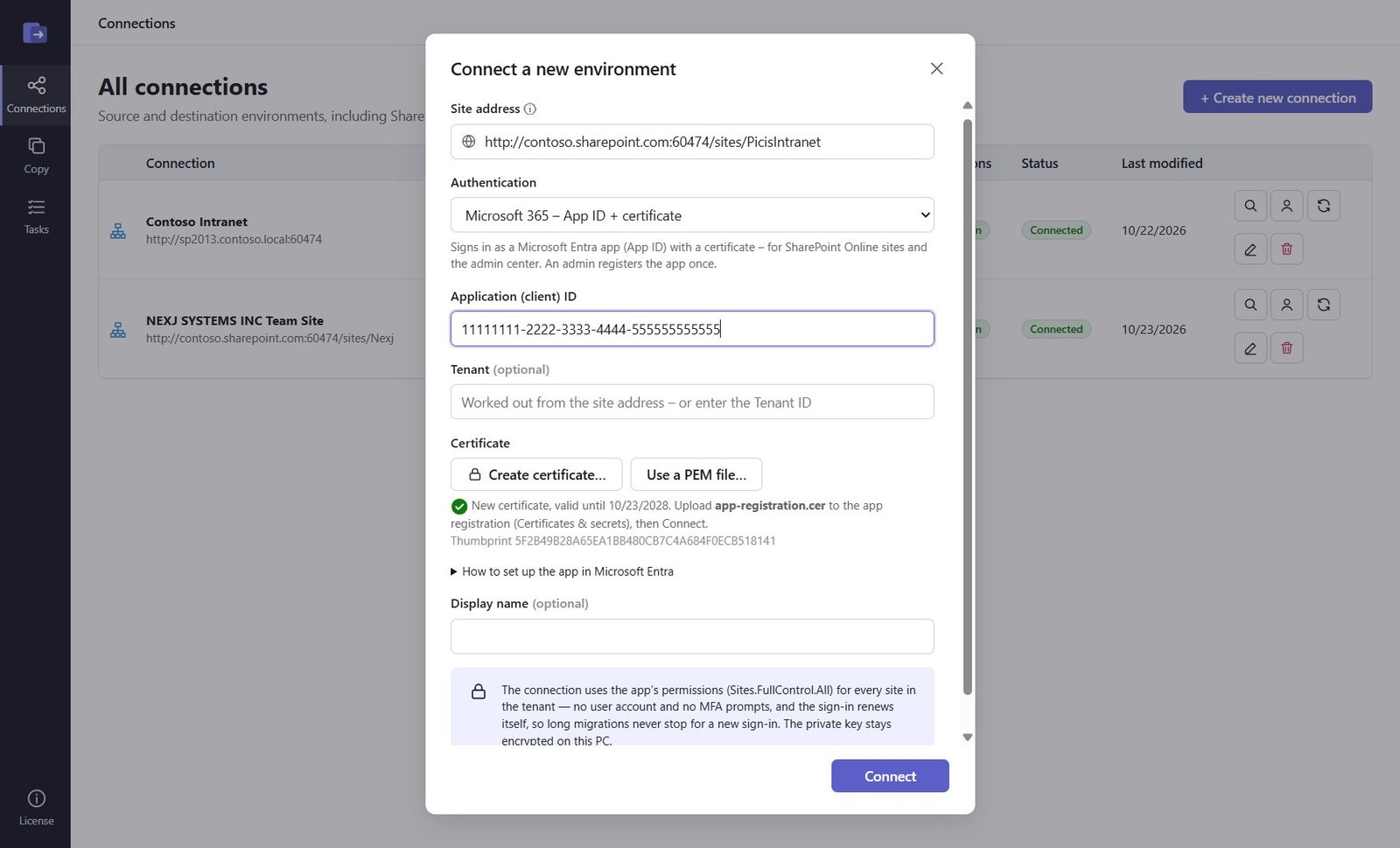
In the app: Connections → Create new connection → site address → authentication App ID. Enter the Application (client) ID and click Create certificate – the app saves a .cer file (its name contains the start of the thumbprint) and keeps the private key encrypted on this PC. Click it once: every click makes a new certificate.
Step 4: Upload the .cer to the app registration
App registration → Certificates & secrets → Certificates → Upload certificate → choose the saved .cer. The Thumbprint shown there must be the one the app showed.
Step 5: Connect and check the thumbprint
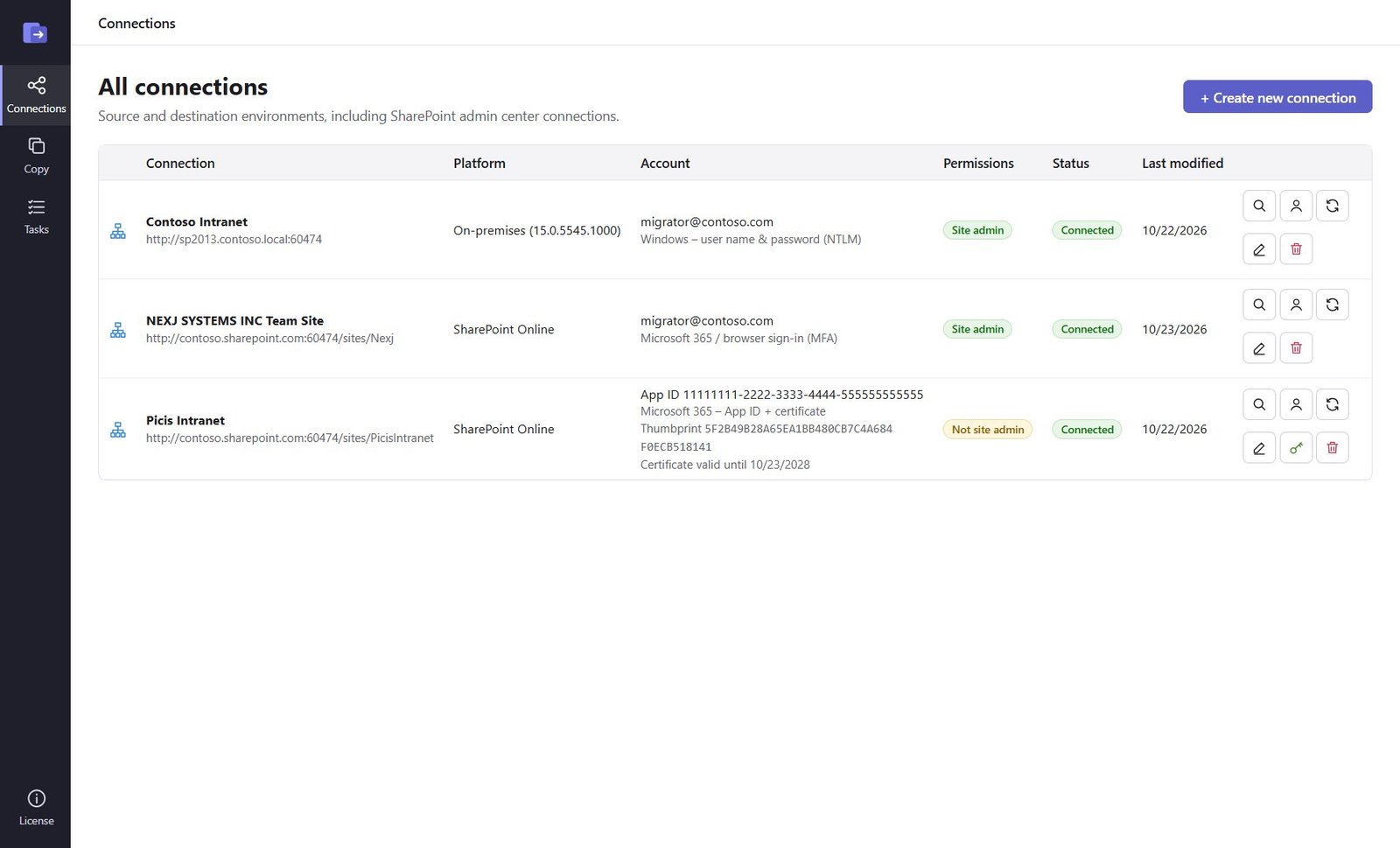
Click Connect. The connection shows the App ID and the certificate thumbprint and expiry. The key button next to it saves the same .cer again if you need to upload it to another app registration.
Good to know
- AADSTS700027: the app registration doesn't have this certificate – compare thumbprints, upload the .cer saved from the connection's key button, or wait a few minutes after uploading.
- "SharePoint refused the app's sign-in": the message says whether the token lacks Sites.FullControl.All (wrong app or consent not active yet) or SharePoint blocks the app (access policy).
- SharePoint Online does not accept a client secret for app-only access – use the certificate.
Need help?
Search the help center, open a support ticket, or let us run the migration for you.
Related guides
Migrate a SharePoint site from on-premises to SharePoint Online
Whole sites with subsites, lists, libraries, versions, metadata and permissions – SharePoint 2010–2019 / SE to Microsoft 365.
9 steps · 30 minutes to set upConnect the source and destination Microsoft 365 tenants
The App ID (Microsoft Graph application permissions) that Teams, OneDrive, Exchange and Gmail migrations use.
4 steps · 15 minutes per tenant (admin)