Before you start
- An Entra administrator in each tenant (Application Administrator or Global Administrator).
Step 1: Register an app in each tenant
In each tenant: Entra admin center → App registrations → New registration. Note the Application (client) ID and the tenant (ID or contoso.onmicrosoft.com).
Step 2: Add the Microsoft Graph application permissions
API permissions → Microsoft Graph → Application permissions. Add what the features you use need, then Grant admin consent:
| Tenant | Permissions |
|---|---|
| Source | Group.Read.All, User.Read.All, Channel.ReadBasic.All, ChannelMember.Read.All, ChannelMessage.Read.All, Files.Read.All, Mail.Read, Contacts.Read, Calendars.Read |
| Destination | Group.ReadWrite.All, User.Read.All, Team.Create, Channel.Create, TeamMember.ReadWrite.All, ChannelMember.ReadWrite.All, Teamwork.Migrate.All, Files.ReadWrite.All, Mail.ReadWrite, Contacts.ReadWrite, Calendars.ReadWrite |
ChannelMessage.Read.All (reading Teams conversations) is a protected API – request access from Microsoft first if you migrate conversations.
Step 3: Create a secret or upload a certificate
Certificates & secrets → New client secret (copy the Value), or upload a certificate (PEM with private key on your PC).
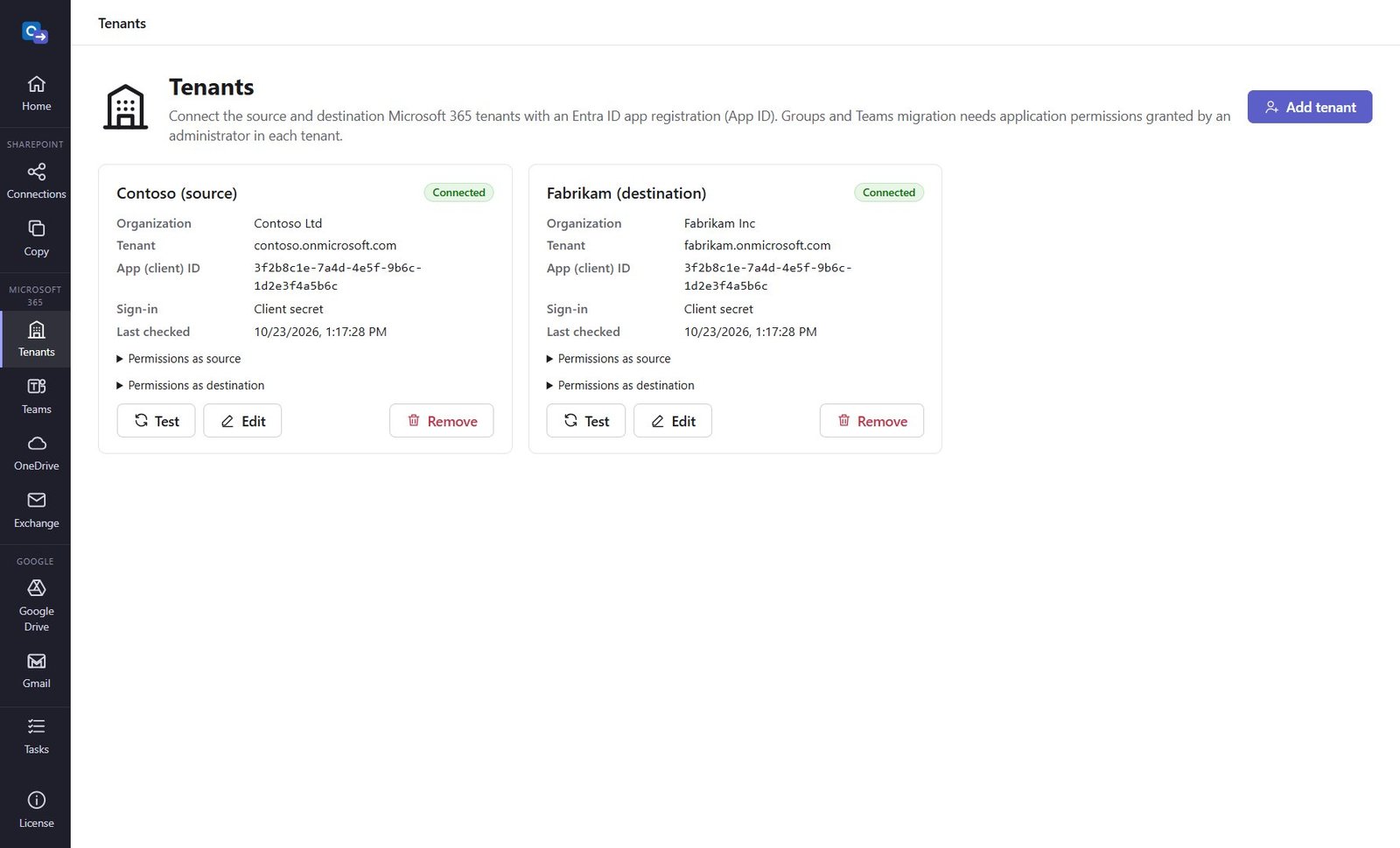
Step 4: Add the tenants in O365 Migration
Tenants → Add tenant: name, tenant, Application (client) ID and the secret or certificate. Add and test signs in and shows, per feature, which permissions are granted and which are missing. The secret is encrypted with Windows for your account.
Good to know
- Missing permissions only matter for the features you use – e.g. Gmail only needs the destination tenant with User.Read.All, Mail.ReadWrite, Contacts.ReadWrite and Calendars.ReadWrite.
Need help?
Search the help center, open a support ticket, or let us run the migration for you.
Related guides
Migrate Microsoft Teams and Microsoft 365 Groups to another tenant
Teams, channels, private channels, conversations with original authors and dates, owners, members and files.
5 steps · 20 minutes to set upMigrate OneDrive to another Microsoft 365 tenant
Every user's OneDrive with folders, files and dates – into the root or a folder of your choice.
3 steps · 10 minutes to set upMigrate Exchange Online mailboxes to another tenant
Mail in every folder, contacts and calendars – no invitations sent, safe to run again.
3 steps · 10 minutes to set up