Before you start
- Both tenants on the Tenants page.
- Destination mailboxes licensed for Exchange Online.
Step 1: List the mailboxes
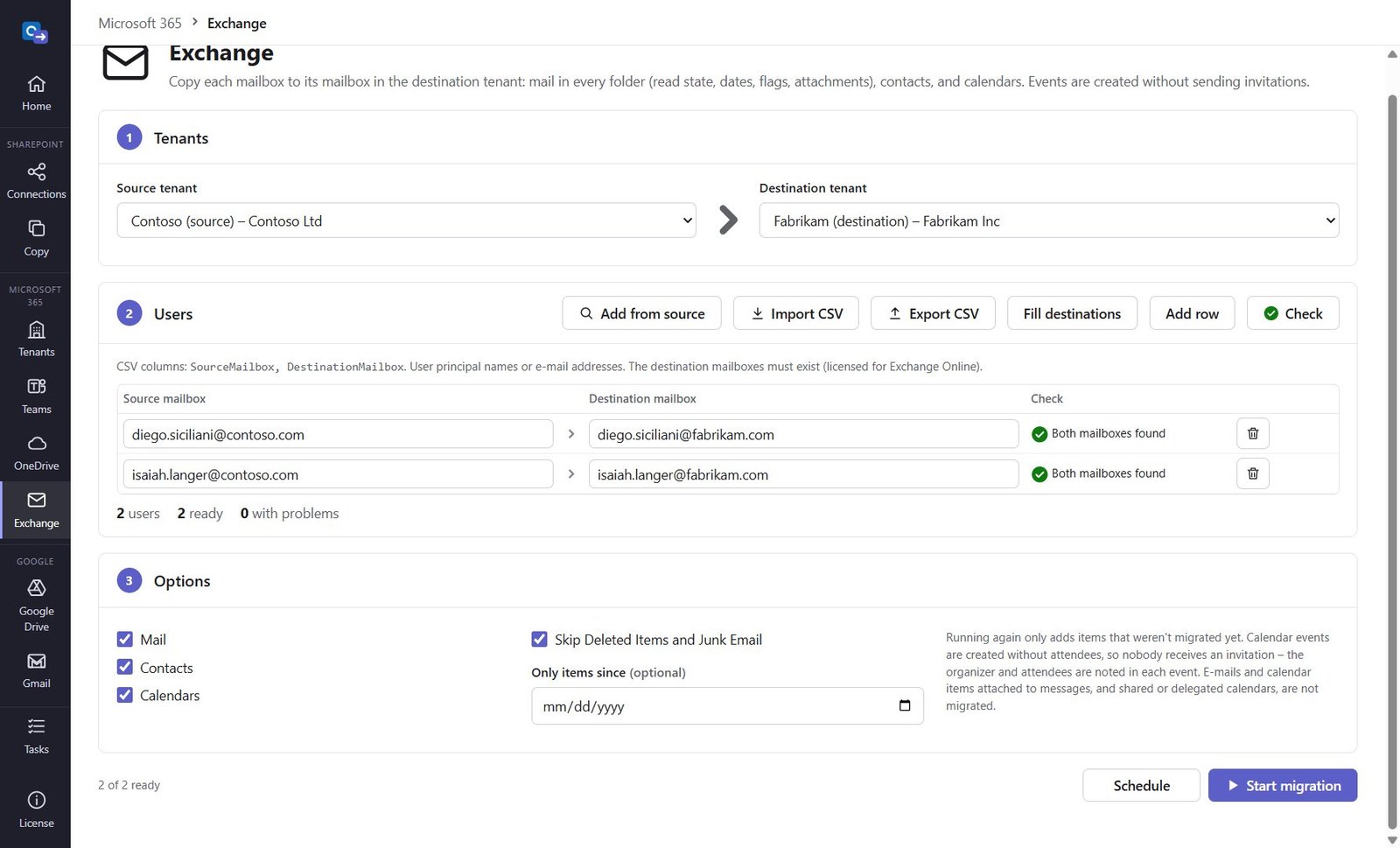
Open Exchange, pick the tenants, then Import CSV (SourceMailbox,DestinationMailbox), Add from source or Fill destinations. Click Check.
Step 2: Choose what to migrate
Mail (every folder, read state, flags, dates, attachments), Contacts and Calendars; skip Deleted Items and Junk Email; only items since a date.
Step 3: Start and check the report
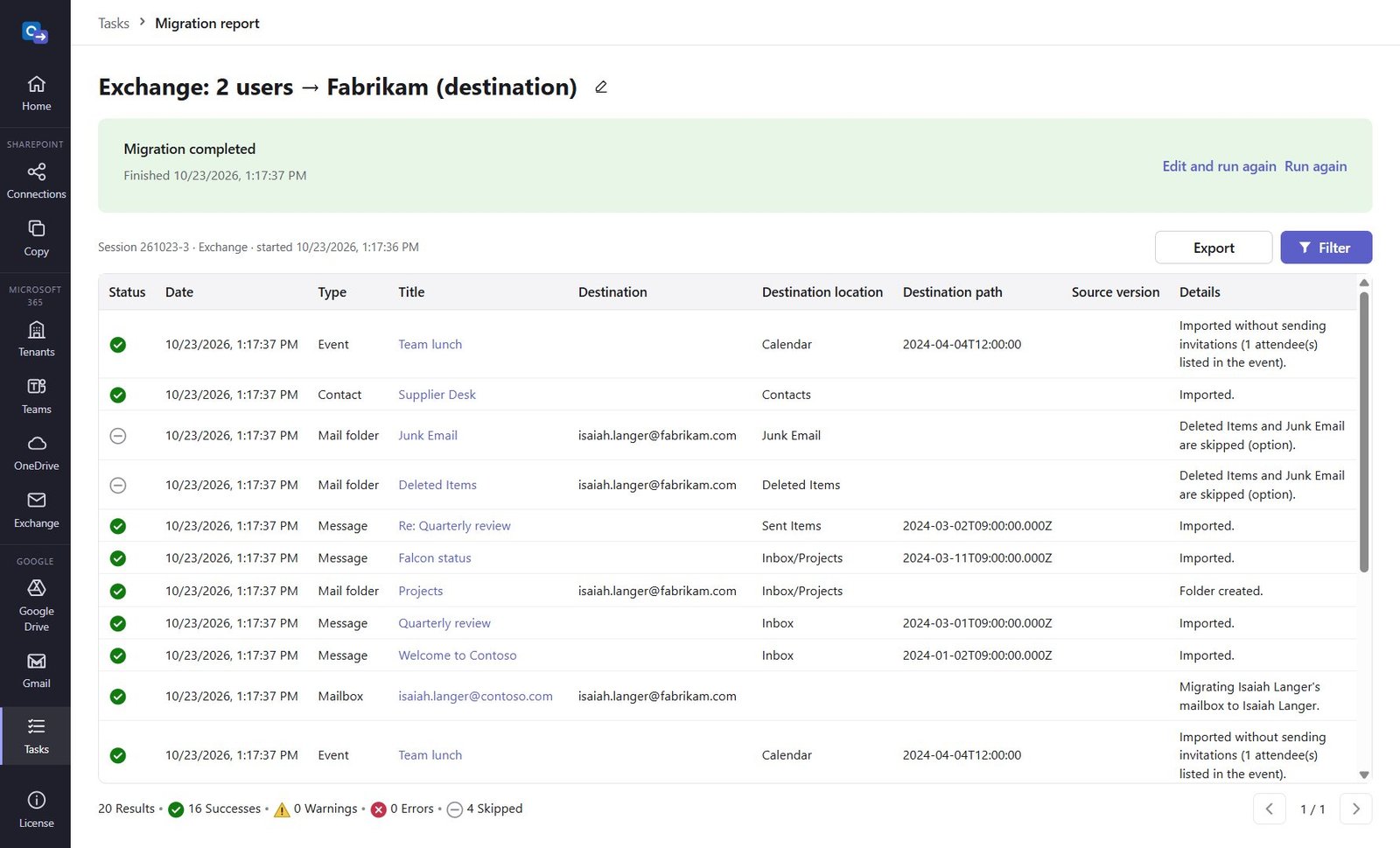
Click Start migration or Schedule. Events are created without attendees, so nobody receives an invitation – the organizer and attendees are noted in each event.
Good to know
- Every item carries its source ID: running again adds only what is new.
Need help?
Search the help center, open a support ticket, or let us run the migration for you.
Related guides
Migrate OneDrive to another Microsoft 365 tenant
Every user's OneDrive with folders, files and dates – into the root or a folder of your choice.
3 steps · 10 minutes to set upMigrate Gmail to Exchange Online (Microsoft 365)
Every user's Gmail with labels as folders, contacts and calendars – from a CSV of users.
6 steps · 30 minutes (first time)